User Support Materials
These materials help audiences complete tasks and solve problems through clear, accessible documentation. My work includes reference materials, help documents, and quick-start guides that reduce reader frustration.
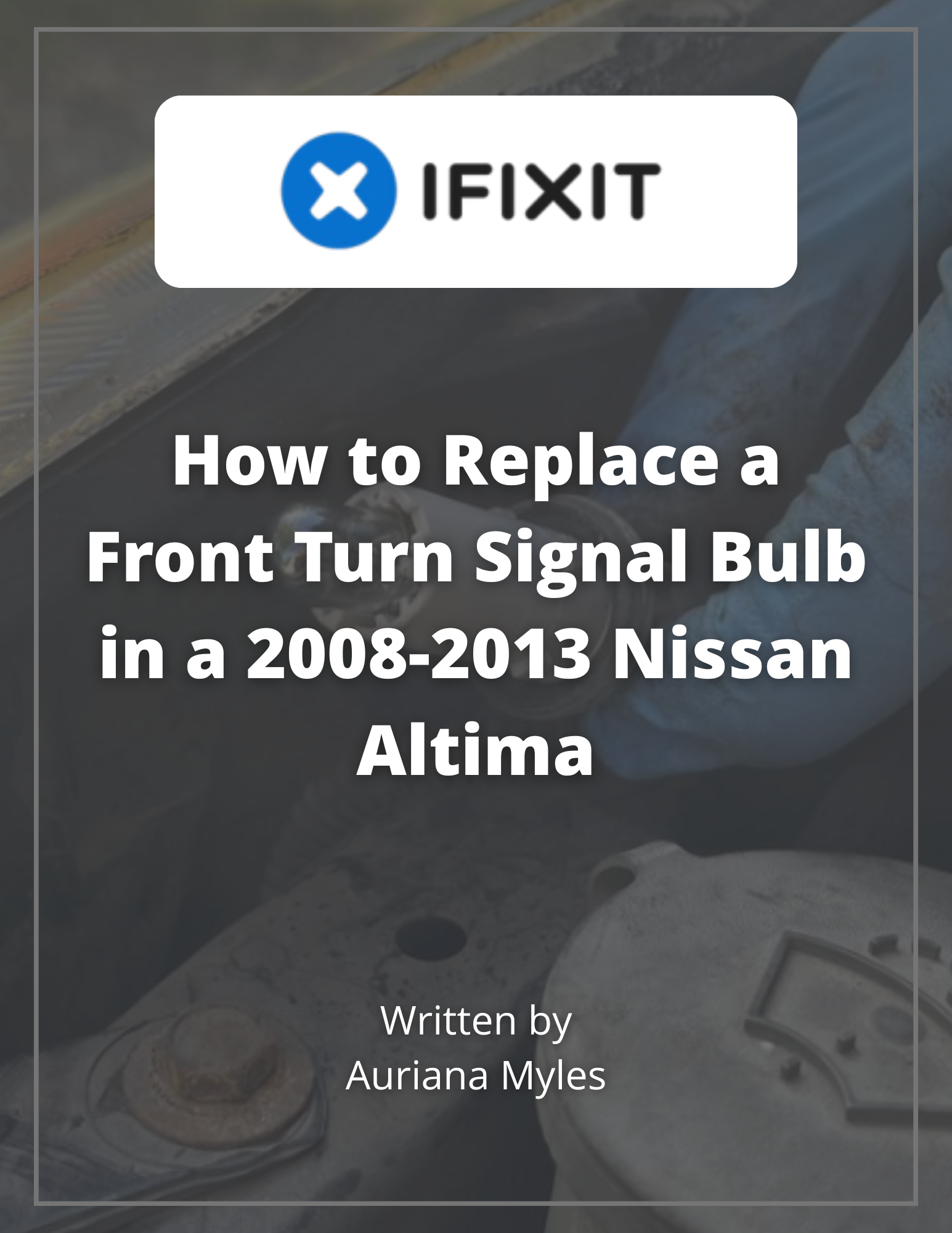
iFixit Fast Fix Project
I published a user-friendly instructional guide in collaboration with iFixit, a global repair community that provides free repair guides for electronics, appliances, and gadgets.
The document emphasizes plain, action-oriented language, and high-quality photos to make each step clear for non-experts to safely complete the repair themselves.
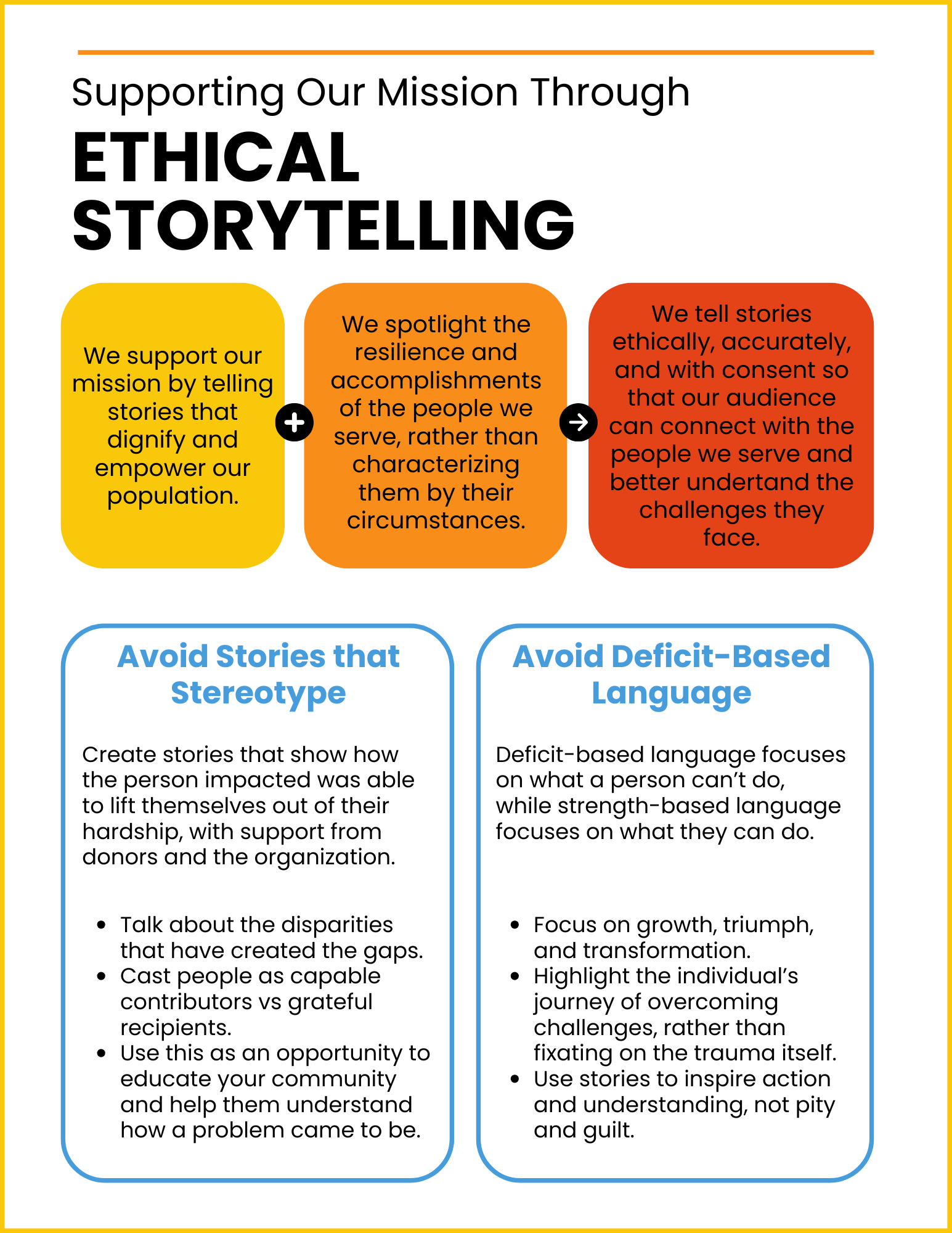
Ethical Storytelling Reference
This guide supports responsible impact story collection and sharing across social media, newsletters, and blogs.
Created in response to submissions that revealed excessive personal information or portrayed vulnerable populations in ways that could undermine dignity, the guide outlines how to obtain informed consent, protect identities, and share stories.
The document uses clear language, headings, bullet points, and white space to create an easy-to-use resource.
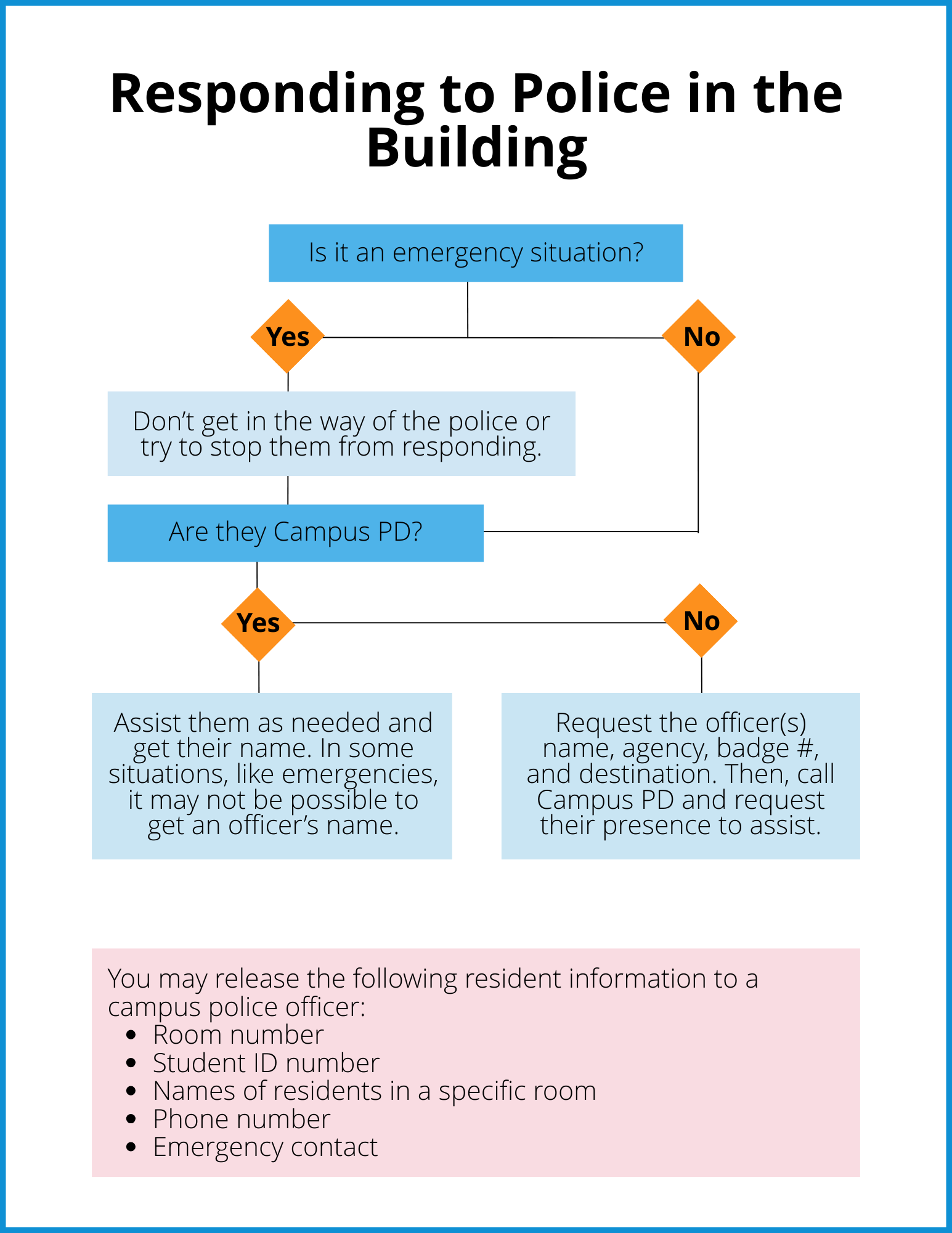
Residence Life Decision Tree
This decision tree was designed to help Resident Assistant’s (RAs) navigate high-stress interactions with law enforcement within the residence halls.
Centered on audience awareness, the tool simplifies complex decisions into a clear, step-by-step visual workflow. I used concise language, gridding, and TECM principles such as usability, clarity, and color-coded repetition to improve quick recognition and decision-making.
The final product helps RAs maintain compliance, protect resident confidentiality, and prioritize safety under pressure.
Video Tutorial: How to Upload an Image to Your Canva Design
This beginner-friendly video tutorial walks viewers through the process of uploading an image to a Canva design. Using Canva and Camtasia, I developed a storyboard, wrote a script, recorded screen captures, and edited the final video.
To streamline revisions, the tutorial was recorded and edited in smaller segments, allowing individual sections to be updated without recreating the entire project. Zoom effects, callouts, and highlighted screen elements direct viewers' attention to critical actions, while background music helps maintain engagement without distracting from the instructional content.
By anticipating the needs of first-time users and reducing cognitive load, the final product provides an engaging learning experience that supports successful task completion.
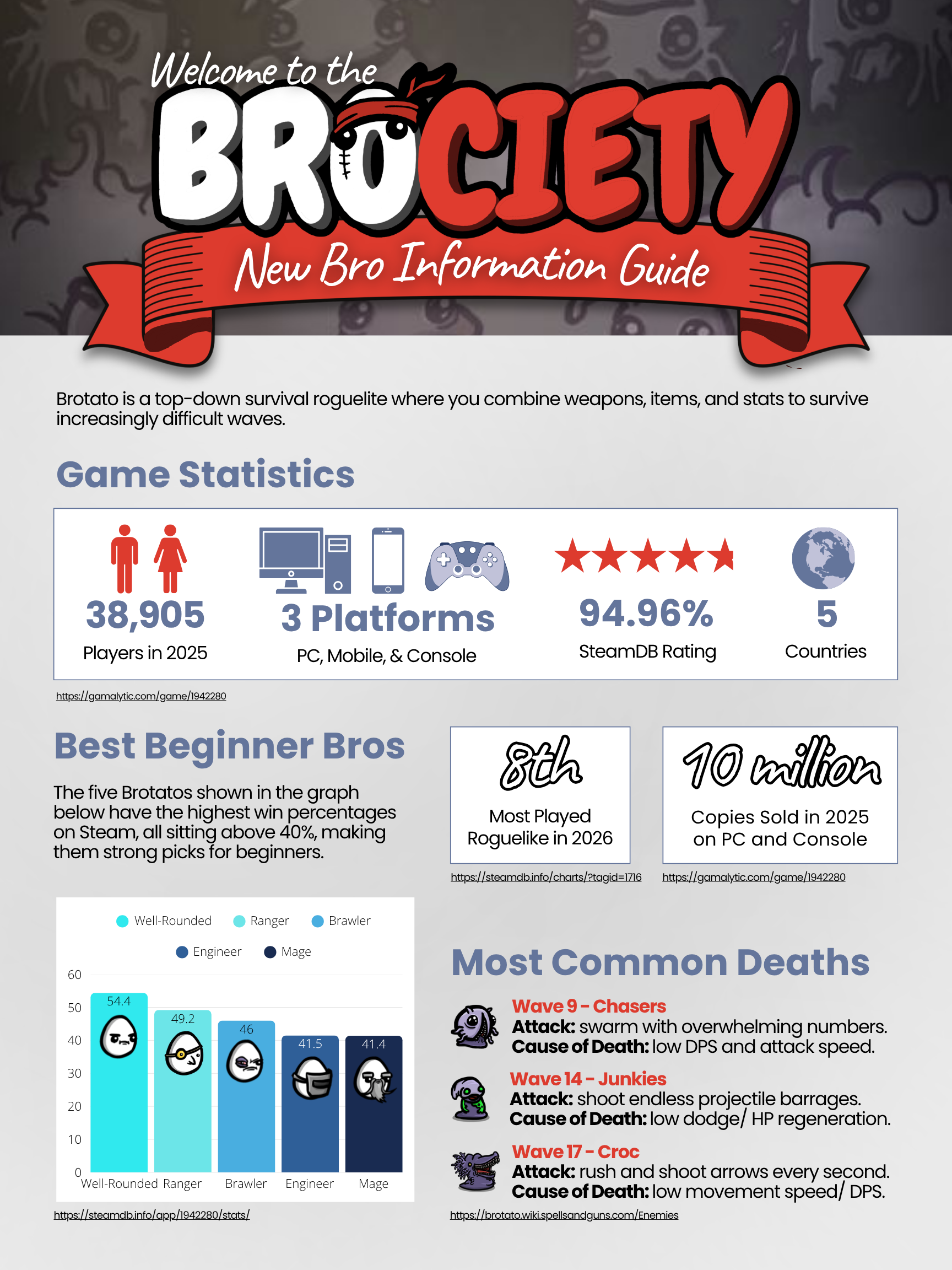
Brotato Information Guide
Brotato is a top-down survival roguelike where you combine weapons, items, and stats to survive increasingly difficult waves.
Created as a quick-reference resource for new gamers, this guide uses the "works-every-time" layout and is informed by principles of contrast, proximity, and white space.
Content includes recommended starter characters and common causes of failed runs, helping new players achieve their first victory.